
Browse everything on your phone, from your computer
Scan a code and your messages, photos, calls and contacts open in your browser, on a large screen with a real keyboard. Read a conversation, search years of history, look at what you have. There is nothing to install on the computer, and nothing is uploaded anywhere.
A free account is required for the web app. Private. Secure.
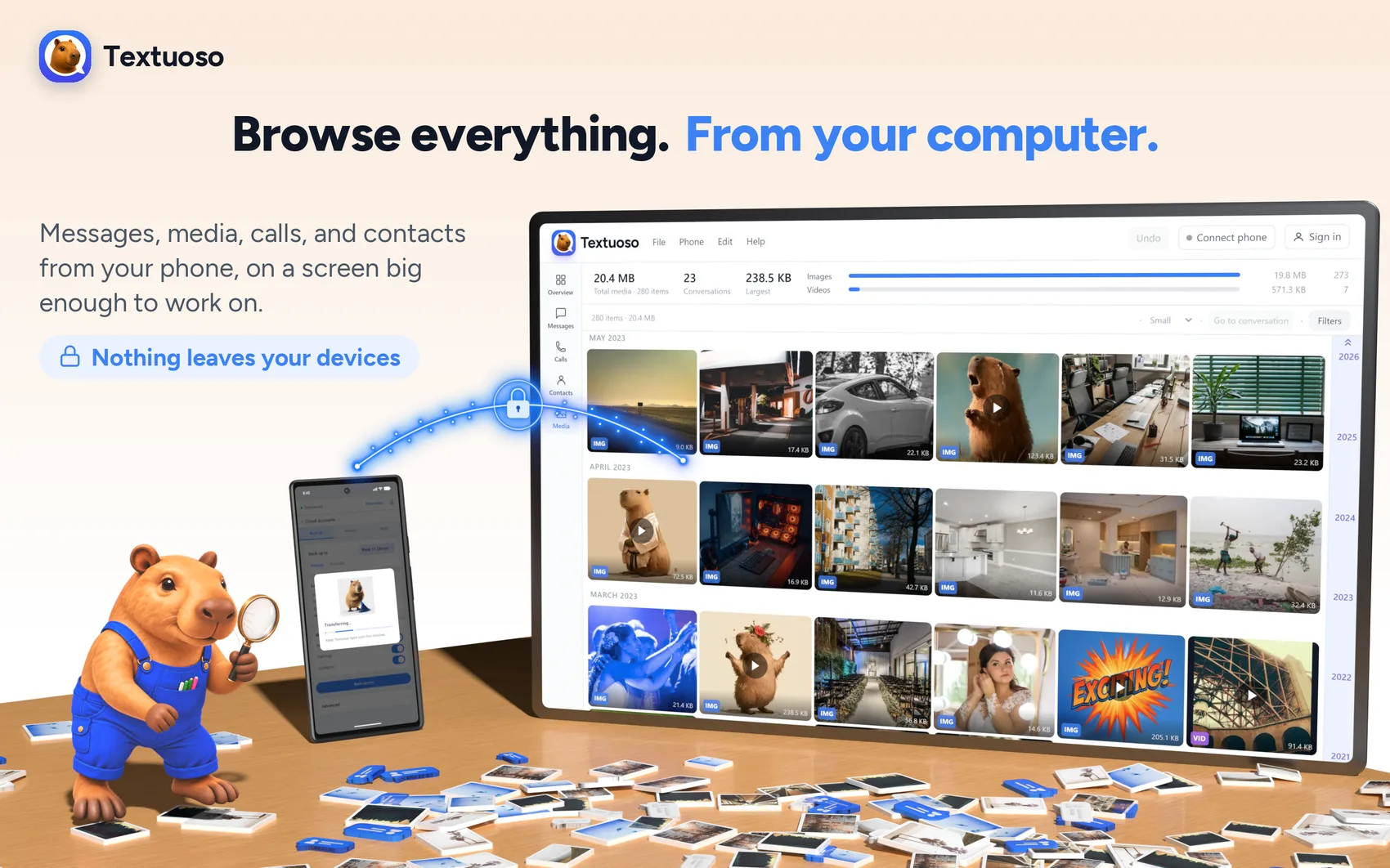
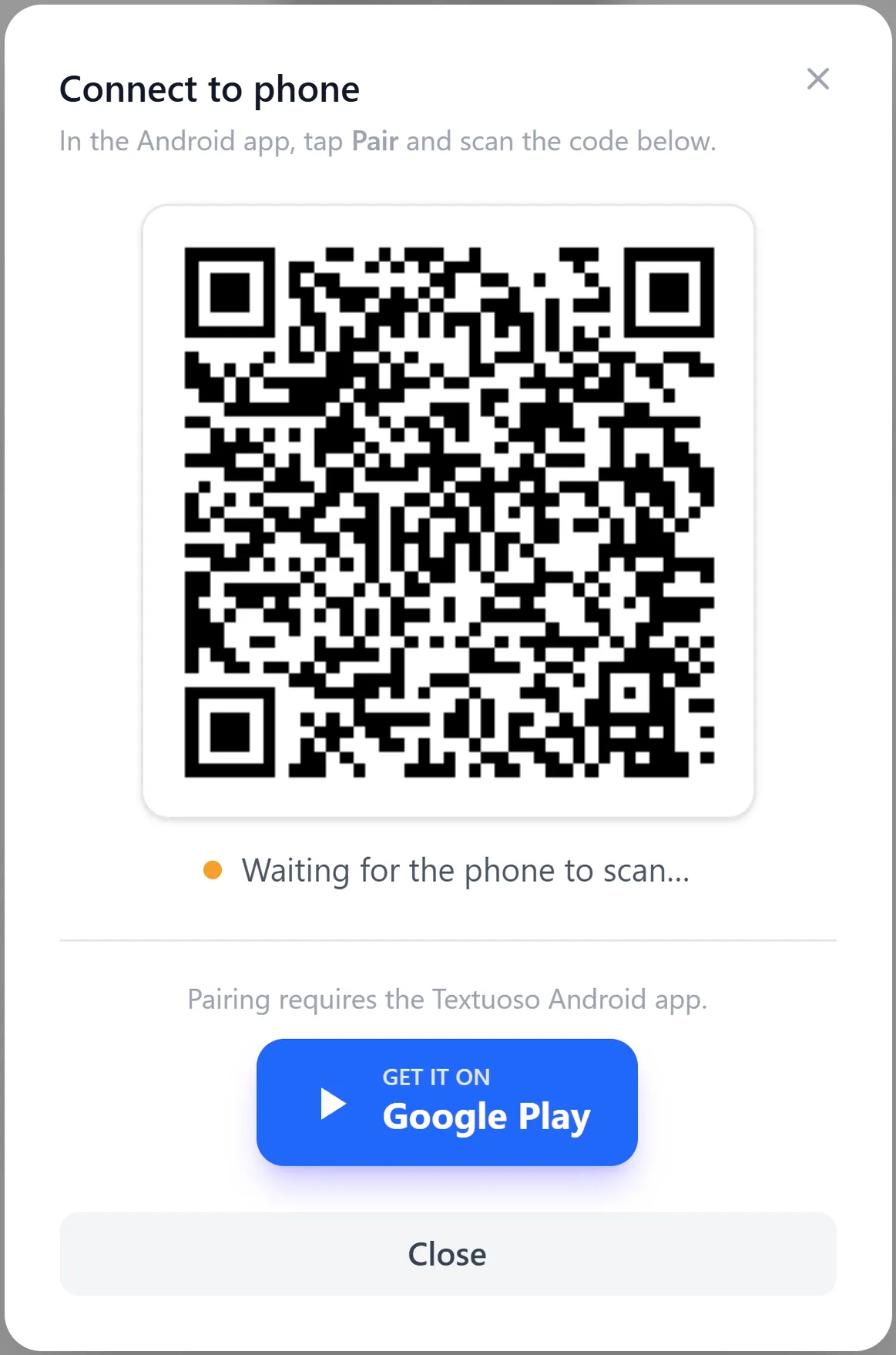
Pair in a few seconds
- 1
Install Textuoso on the phone
It is free, and it is the only thing you install. The computer needs nothing but a browser.
- 2
Open the app at textuoso.com/app
Choose Pair with phone, and a code appears on the screen.
- 3
Scan the code with the phone
The two connect to each other, and Load brings your conversations into the browser.
No cable, no drivers, no developer mode. The phone and the browser have to be on the same Wi-Fi, and that is the point: they talk to each other directly, so your messages never pass through anyone’s server, ours included. There is no relay in between and nothing kept anywhere.
See more than one thing at a time
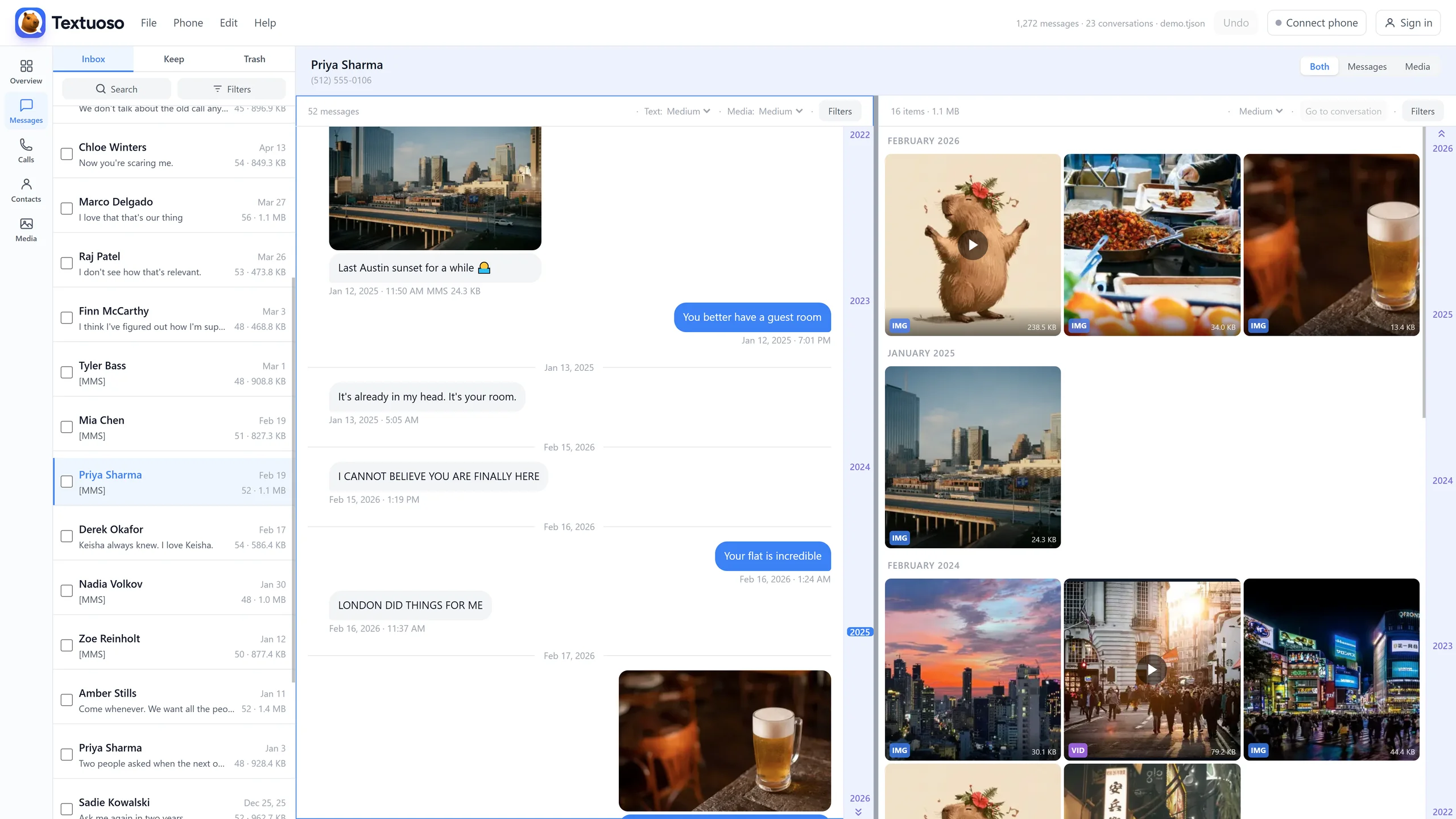
A phone shows you one screen at a time, so years of history become scrolling, tapping, and losing your place. On a computer it sits side by side.
Messages
Your conversations in one column and the open conversation beside it. Click a name, read it, click the next one.
Messages and media together
A conversation and its photos and videos in the same view, split however you like, or either one on its own.
Media
Every attachment from every conversation in one grid, newest or largest first, or just the ones from the conversation you are reading.
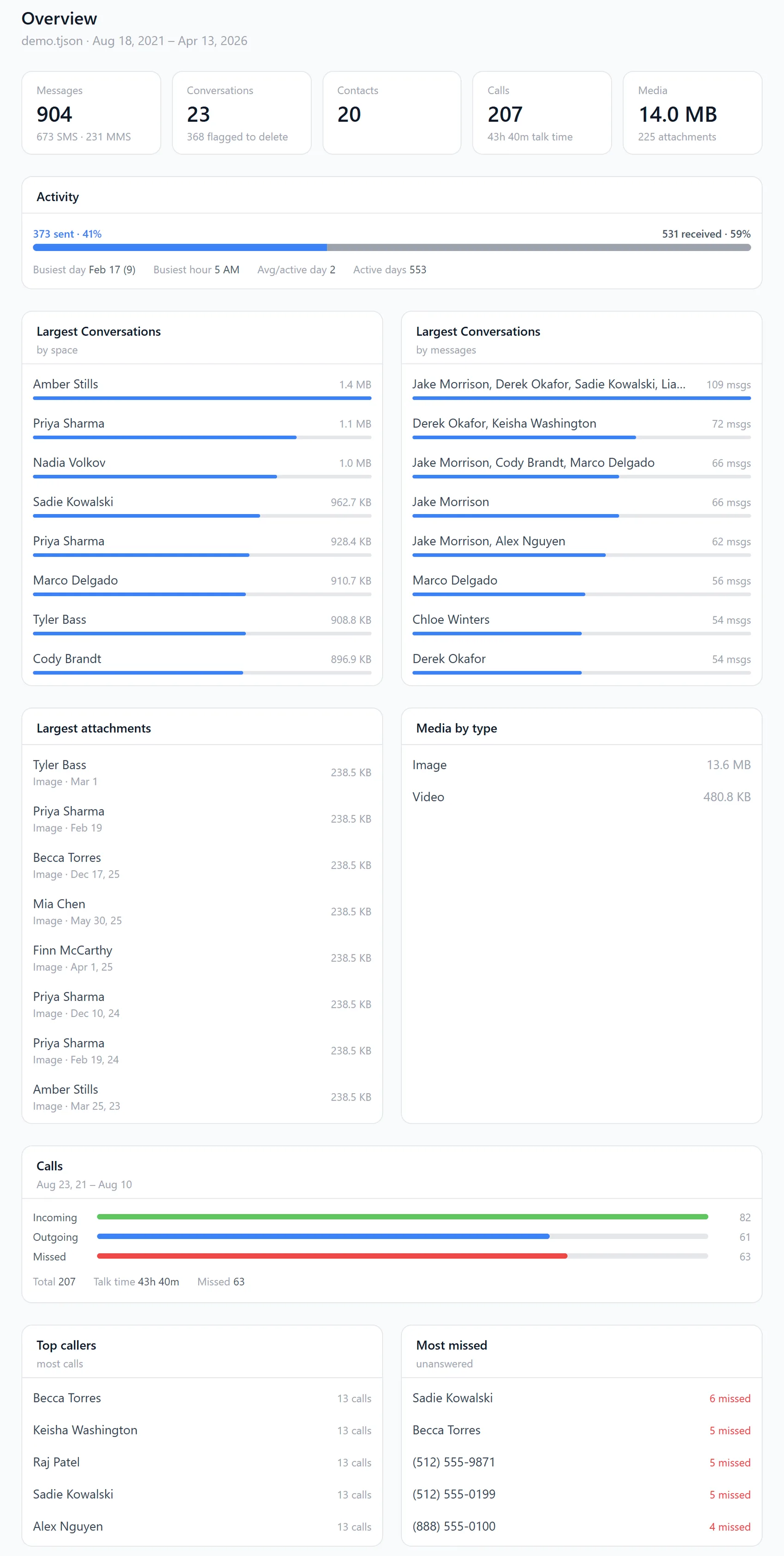
Overview
The shape of your history: how many messages, conversations, contacts and calls, activity across the years, your largest conversations by size and by message count, your biggest attachments.
Calls
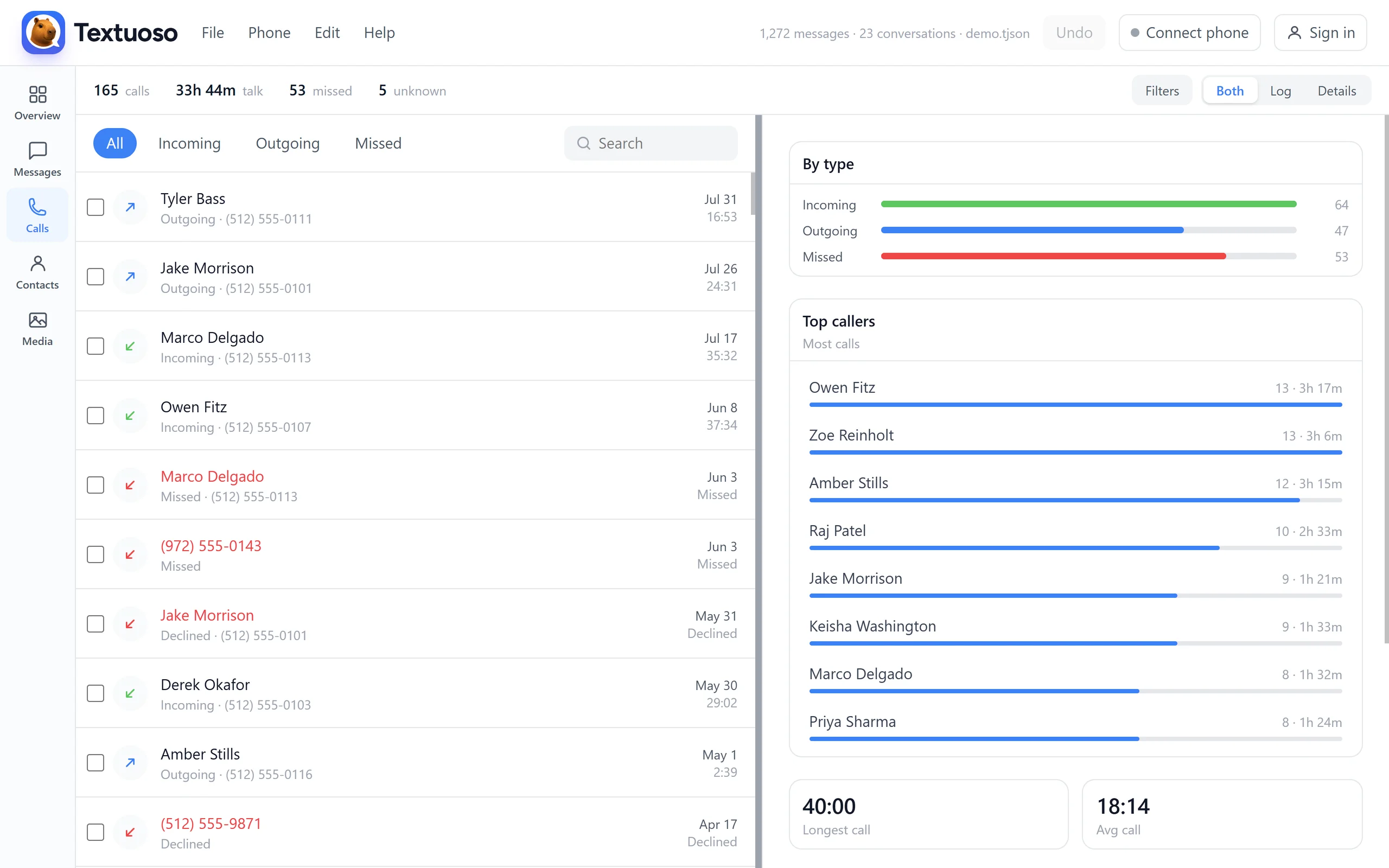
Incoming, outgoing and missed, with who you talk to most and who you keep missing.
Contacts
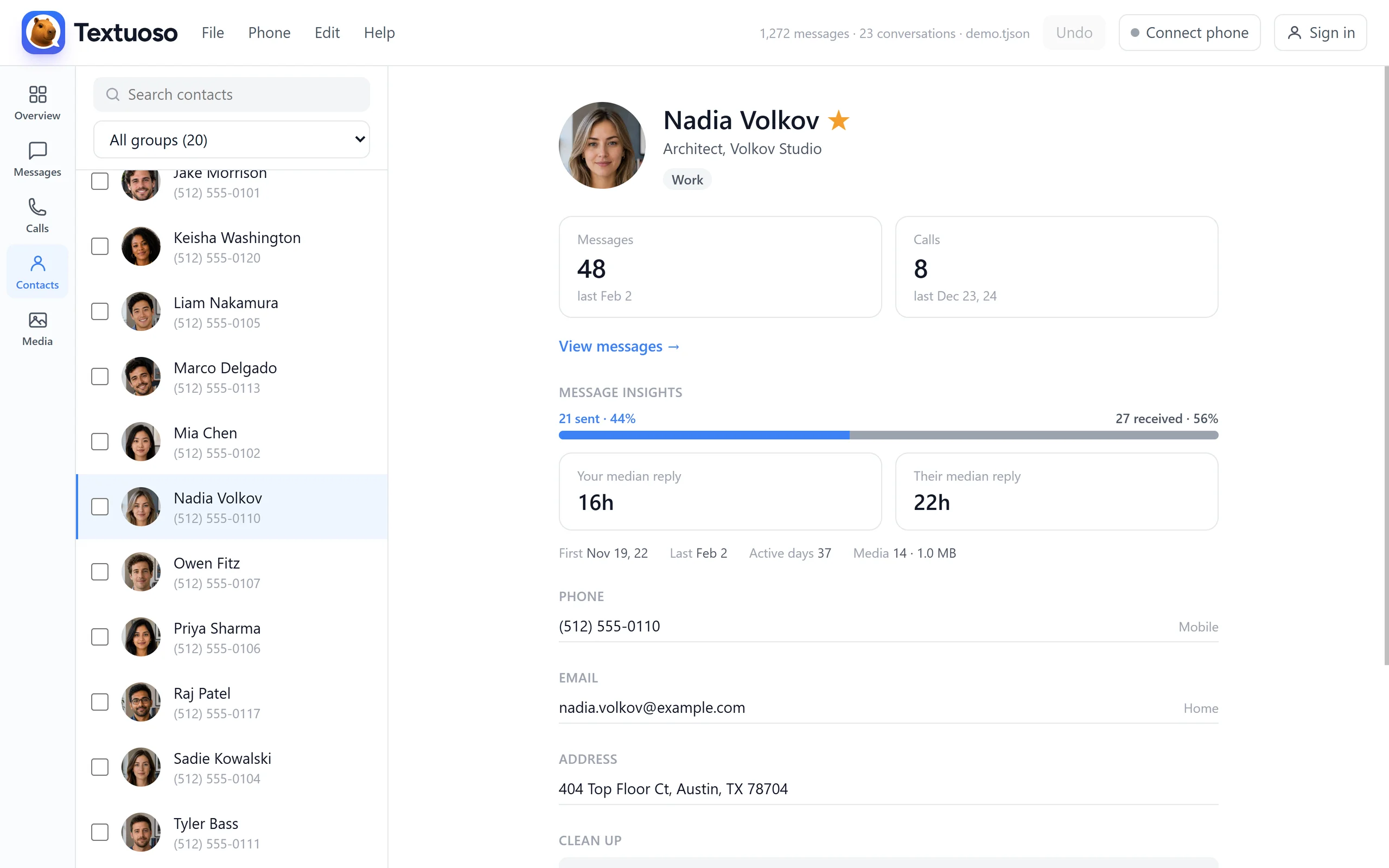
Each person with their message and call counts, when you last spoke, and how quickly the two of you usually reply to each other.
Overview is the whole history at a glance, and it is a long page: counts, activity by year, your largest conversations, your biggest attachments, and who you call most.
The call log shows the full call history for whatever your phone has preserved (Android drops the oldest calls on its own; messages are never truncated this way, only calls). The right pane shows either an overview of all call statistics, or the detailed history of individual contacts.
The contacts view shows contacts and groups in the left pane, and a summary of messaging information in the right pane, along with buttons for bulk-deleting data for that contact.
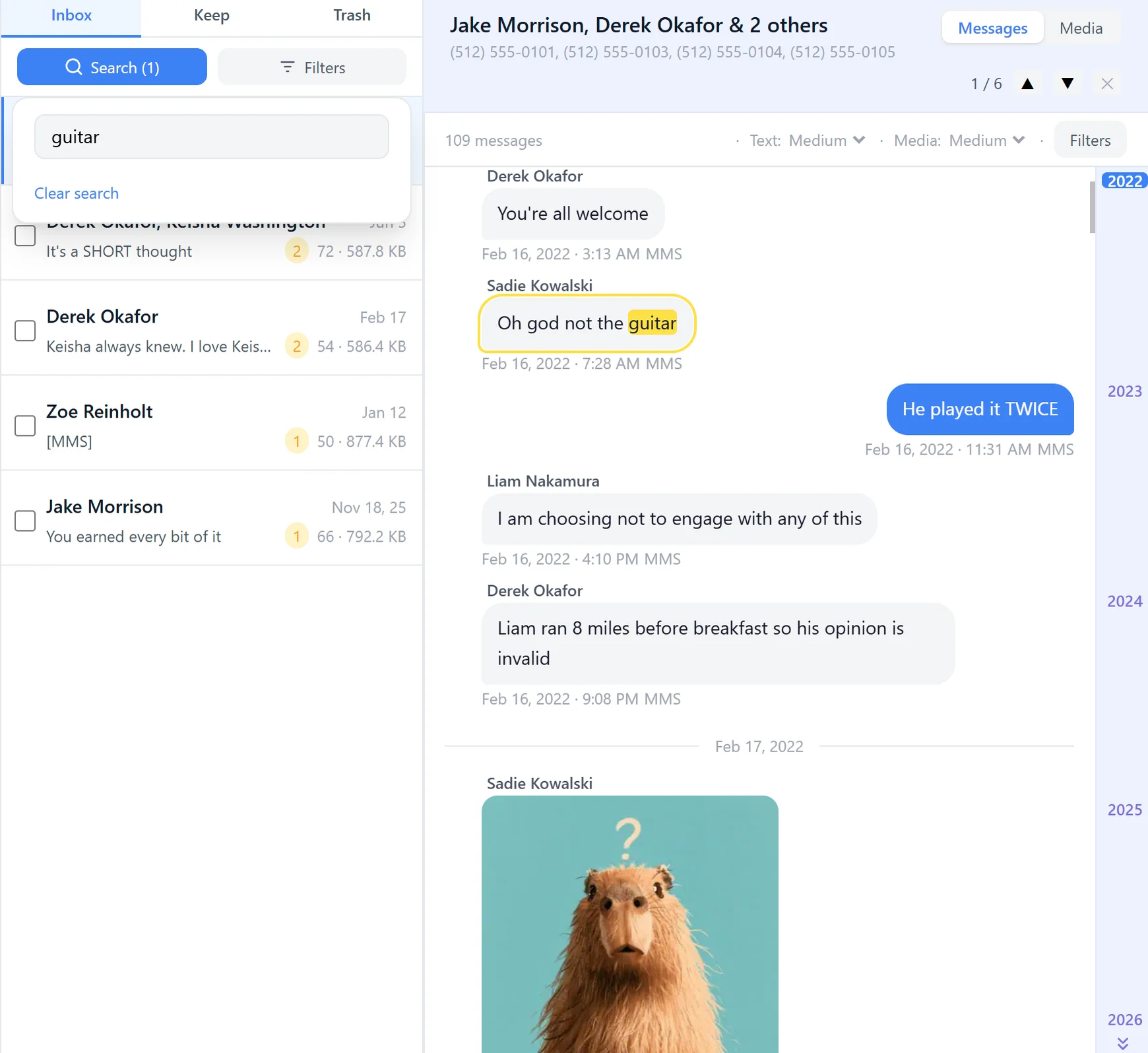
Find the message you are looking for
Type a word and Textuoso searches the text of every message you have, not one conversation at a time, and narrows the list to the people who said it. Type a name or a number instead and it finds the person. Either way you are looking at results across your whole history at once.
Search everything at once
One box, every conversation. Matching threads stay, the rest fall away.
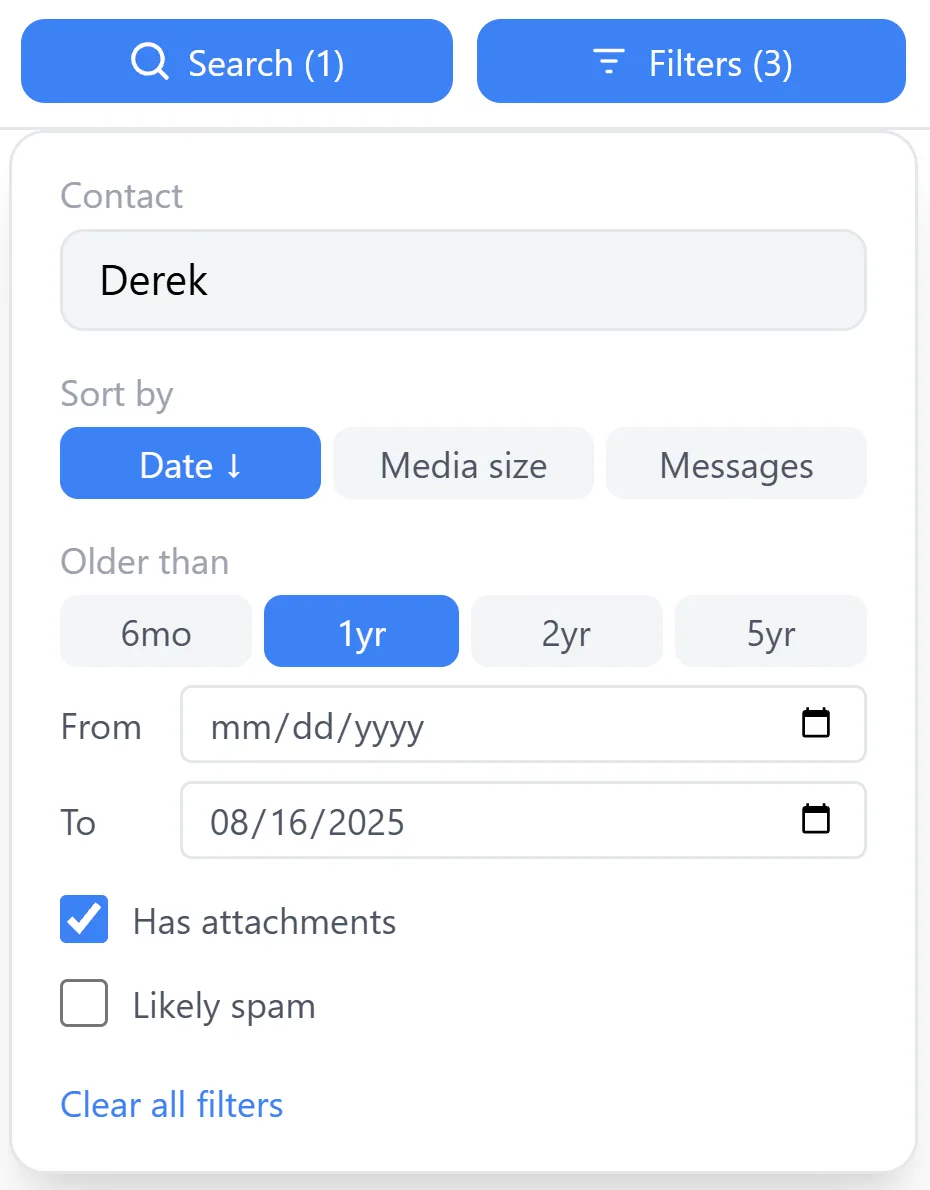
Between two dates
A start, an end, or both, when you know roughly when it happened.
Only what has attachments
Skip straight past the conversations that are only words.
Sort by date, size or count
Order the list by how recent it is, how much space it takes, or how much was said in it.
Jump to a year or month
The date scrubber down the side moves you straight there, without scrolling to it.
Jump from a photo to its message
Find a picture in the grid, jump to the message it arrived in, and read what was said around it.
Filters narrow it further, by who you were talking to, when, and whether there was anything attached:
Or read a backup file instead
If the phone is gone, dead, or replaced, and what you have left is a backup, open that instead. The same views and the same search, from a file.
When you want to do more than read
- Back up your messages → Keep a copy of everything, on a schedule, and restore it to any Android phone.
- Save the photos and videos → Pull the attachments out of your conversations and onto your computer.
- Clean up what you do not want → Delete thousands of old messages at once, or strip attachments to free up space.
Common questions
- How do I read my text messages on my computer?
- Install Textuoso on your Android phone, open textuoso.com/app in a browser, and choose Pair with phone. Scan the code it shows, then Load, and your conversations appear in the browser.
- Do I need a cable?
- No. The phone and the computer connect over your Wi-Fi. There is nothing to plug in and no drivers to install.
- Does it work on Mac, Windows and Linux?
- Yes. Everything runs in the browser, so the computer only needs a modern one. This also means you can read your texts on a tablet, or on another phone, which is a slightly unusual thing to be able to do, but it is all just a web page.
- Are my messages uploaded to a server?
- No. Your phone and your browser talk to each other directly over your own network, which is why they have to be on the same Wi-Fi. There is no relay in between and no copy kept anywhere.
- Can I search all of my messages at once?
- Yes. One search box covers every conversation, and you can narrow by date, attachments, or who you were talking to.
- Does it work with RCS chats?
- It depends on your phone and carrier. Samsung Messages RCS chats, including their photos and videos, are read directly on Samsung phones, even though the app itself has been retired. On other combinations RCS is sometimes kept in a private database that no other app is allowed to read, so those chats may not appear.